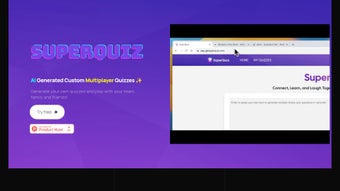

Download SuperQuiz – AI‑Powered Quiz Creator for Education, Business & Family Fun
Overview of SuperQuiz
SuperQuiz is an AI‑driven web application designed to let anyone generate and host multiplayer quizzes with minimal effort. Whether you’re a teacher looking to reinforce curriculum, a HR manager planning a team‑building session, or a parent seeking a fun family night activity, SuperQuiz adapts to your context. The platform offers a clean, intuitive interface that guides users through topic selection, difficulty scaling, and even brand‑specific customisation, ensuring each quiz feels personal and relevant.
Because it runs entirely in the browser, participants join via a simple link—no extra downloads or installations are required, making it ideal for virtual meeting tools such as Microsoft Teams, Zoom, or Google Meet. SuperQuiz balances engagement with security: all data is encrypted, and the service complies with GDPR, CCPA, and other industry‑standard privacy frameworks. While a free tier provides a solid entry point, the premium subscription unlocks unlimited quiz creation, priority support, advanced analytics, and frequent feature updates, positioning SuperQuiz as a scalable solution for both occasional use and long‑term organisational needs.
In addition, the AI engine continuously learns from previous quizzes, refining question relevance and difficulty suggestions over time. This iterative improvement means that the more you use SuperQuiz, the smarter it becomes, delivering increasingly accurate assessments for learners of all ages. In short, SuperQuiz combines AI convenience, cross‑platform accessibility, robust data protection, and a forward‑looking update cycle to deliver a versatile quiz‑making tool that keeps participants motivated and learning outcomes measurable.
Key Features & Benefits
- AI‑Assisted Question Generation: Input a topic or curriculum standard and let SuperQuiz suggest varied question types, from multiple choice to image‑based prompts.
- Customisable Difficulty Levels: Set easy, medium, or hard tiers to match the audience’s expertise, ensuring the right challenge for every participant.
- Multiplayer & Real‑Time Scoring: Host live quizzes where scores update instantly, encouraging friendly competition and instant feedback.
- Seamless Integration with Teams & Zoom: Share a single link and watch participants answer directly within the meeting window—no extra software needed.
- Gamification Elements: Earn badges, leaderboards, and timed challenges that boost engagement and repeat participation.
- Brand & Culture Templates: Upload logos, colour schemes, and corporate language to keep quizzes aligned with company identity.
- Data Privacy & Security: End‑to‑end encryption, GDPR compliance, and regular security audits protect user information.
- Free & Premium Plans: Start for free with up to five quizzes per month; upgrade for unlimited creation, advanced analytics, and priority support.
- Automatic Updates: The web‑based app receives continuous improvements without user intervention, guaranteeing the latest features are always available.
- Cross‑Device Compatibility: Works on Windows, macOS, Android, iOS, and any modern browser, delivering a consistent experience across desktops and mobiles.
Beyond the raw feature list, SuperQuiz delivers tangible benefits that resonate across multiple user groups. Teachers can automate assessment creation, saving hours of preparation while still aligning quizzes with state standards or project‑based learning goals. Corporate trainers gain the ability to embed brand‑specific scenarios into quizzes, reinforcing culture while measuring knowledge retention and compliance in real time.
Families enjoy spontaneous game nights without fiddling with complicated setups, thanks to the zero‑download, link‑based access model. The AI engine learns from previous quizzes, suggesting more relevant questions over time, which means the tool becomes smarter the more you use it. Moreover, the built‑in analytics dashboard provides actionable insights—completion rates, average scores, and time‑on‑question metrics—that help educators and managers refine curricula or training programs.
The combination of simplicity, powerful customisation, and data‑driven feedback makes SuperQuiz a must‑have app for anyone who values interactive learning, engagement, and measurable outcomes.
Installation, Usage & Compatibility
Because SuperQuiz is a cloud‑native web application, the installation process is virtually non‑existent. Users simply navigate to superquiz.io, click Sign Up, and choose either a free or premium subscription. After confirming the email address, the dashboard appears, ready for quiz creation. For organizations that prefer Single Sign‑On (SSO), SuperQuiz integrates with Azure AD, Google Workspace, and Okta, streamlining user management and maintaining security compliance. The platform also supports two‑factor authentication (2FA) to add an extra layer of protection for admin accounts.
Step‑by‑Step Usage Guide:
- Choose a Template or Start from Scratch: Select a pre‑built template (Education, Corporate, Family) or click “Create New Quiz”.
- Define the Topic & Difficulty: Enter keywords or upload a syllabus; the AI suggests a pool of questions.
- Customise Appearance: Add logos, colour palettes, intro videos, and even background music to match your brand or theme.
- Set Multiplayer Options: Choose the number of participants, enable real‑time chat, decide if answers are anonymous, and configure timer settings.
- Publish & Share: Generate a shareable link, QR code, or embed code; participants join via any device without downloading an app.
- Live Monitoring: Use the host console to view responses, adjust timers, award bonus points on the fly, and moderate chat if needed.
- Review Results: After the session, export analytics to CSV, Google Sheets, or integrate with LMS platforms for deeper insight. Detailed reports include per‑question performance, average response time, and heat‑maps of participant engagement.
- Iterate & Reuse: Save quiz templates for future use, clone successful sessions, and apply AI‑driven improvements based on past performance data.
SuperQuiz is fully compatible with Windows 10/11, macOS Monterey and later, Android 8.0+, iOS 13+, and any modern browser such as Chrome, Edge, Firefox, and Safari. Because the service runs in the browser, there is no need for separate desktop or mobile installations, which eliminates version‑conflict issues and ensures a secure, always‑up‑to‑date experience. The platform also supports progressive web app (PWA) functionality, allowing power users to “install” a shortcut on their device for offline access to previously created quizzes, though live gameplay still requires an internet connection for real‑time scoring. System requirements are minimal: a stable internet connection (minimum 3 Mbps) and a modern browser with JavaScript enabled.
Pros, Cons, FAQ & Final Verdict
Pros
- AI‑assisted quiz generation dramatically reduces preparation time.
- Zero‑download, browser‑based access works on all major operating systems.
- Robust gamification keeps participants motivated and improves retention.
- Seamless integration with Teams, Zoom, and other virtual meeting platforms.
- Strong data privacy measures and end‑to‑end encryption.
- Free tier available for casual users; premium plan offers unlimited quizzes and advanced analytics.
- Progressive Web App option for quick shortcuts and offline quiz editing.
- Extensive analytics dashboard for educators and trainers.
- Multi‑language support for global teams and classrooms.
- Responsive customer support with live chat for premium subscribers.
Cons
- Premium features require a subscription, which may be a barrier for small nonprofits.
- Real‑time interaction depends on stable internet connectivity.
- Advanced customization (e.g., complex branching logic) is limited to higher‑tier plans.
- Limited offline functionality for live multiplayer sessions.
- Free plan caps participant numbers at 20 per quiz.
Frequently Asked Questions
Can I use SuperQuiz without an internet connection?
The quiz creation interface works offline as a PWA, but live multiplayer sessions require an active internet connection to sync scores and responses.
Is there a limit to the number of participants in a free quiz?
The free plan supports up to 20 concurrent participants per quiz. Premium accounts lift this restriction.
How does SuperQuiz ensure data privacy?
All data is encrypted in transit (TLS 1.3) and at rest. The service complies with GDPR, CCPA, and undergoes regular third‑party security audits.
Can I integrate SuperQuiz results with my LMS?
Yes. SuperQuiz offers CSV export and LTI integration for popular LMS platforms like Canvas, Moodle, and Blackboard.
What payment methods are accepted for the premium subscription?
We accept major credit cards (Visa, MasterCard, Amex), PayPal, and bank transfers for annual plans.
Conclusion & Call to Action
Overall, SuperQuiz stands out as a secure, flexible, and highly engaging quiz‑making tool that fits educational, corporate, and family settings alike. Its AI‑powered question engine, combined with a zero‑download, cross‑platform experience, makes it a top choice for anyone looking to boost interaction and assess knowledge in real time. The platform’s robust analytics and gamification layers add measurable value for teachers tracking student progress and managers evaluating training effectiveness.
While the premium subscription unlocks the full potential of unlimited quizzes, advanced branding, and priority support, the free tier is generous enough for occasional use, allowing new users to explore core functionalities without commitment. If you’re ready to transform passive learning into an active, game‑like experience, download SuperQuiz today—start with the free plan to explore its core capabilities, then upgrade to premium for unlimited creativity, priority support, and continuous updates. Embrace the future of interactive assessment and watch participation soar.



.png)



